Local first
NoLen is designed to handle your notes primarily on your device.
 NoLen
NoLen
Plain text, placed in time.
NoLen finds dates and times in everyday writing,
keeps your note unchanged, and sends only the schedule to your calendar.
NoLen is a local-first note app where your thoughts stay in ordinary, readable text.
Notes never needed more rules.
They needed better connections after you write.
How it works
Your everyday writing becomes the starting point for your calendar.
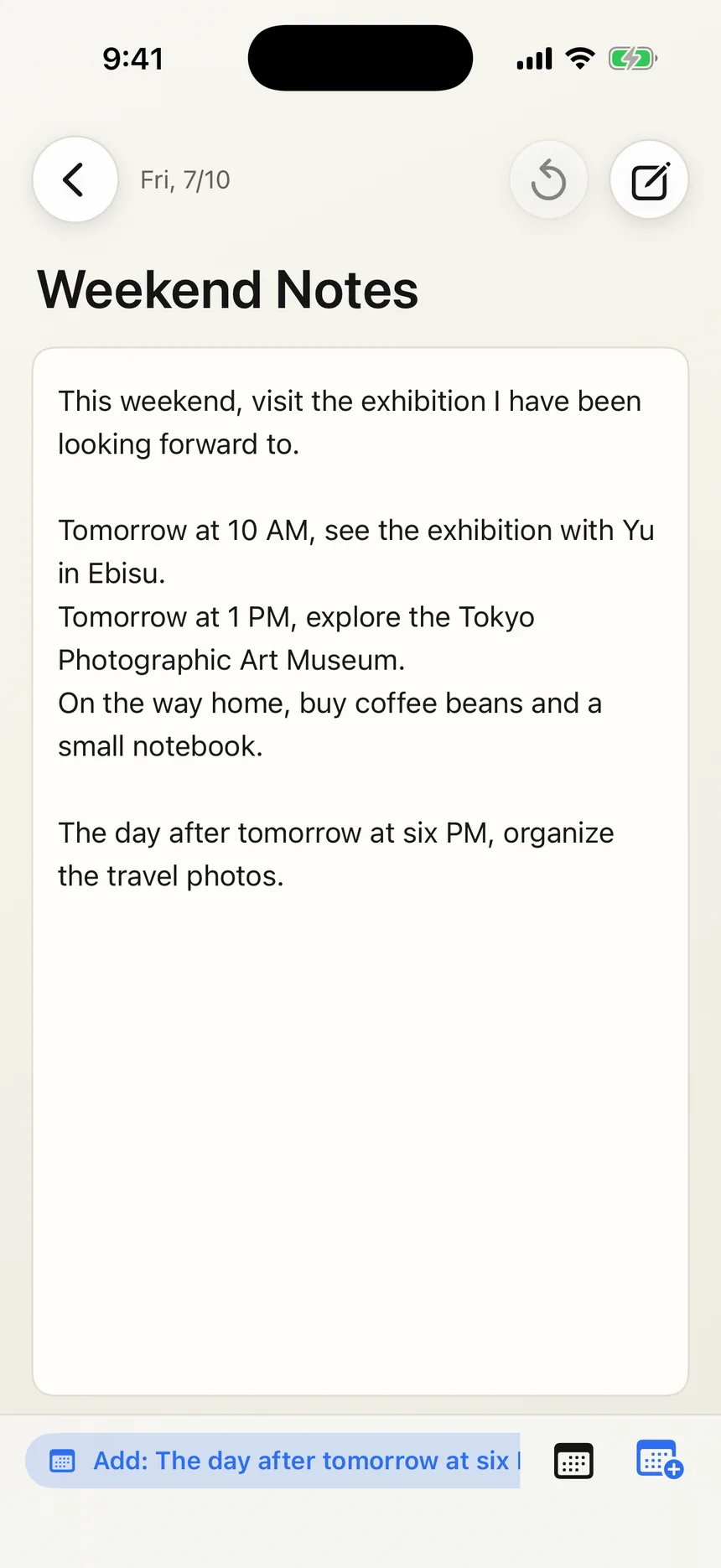
“See the exhibition tomorrow at 10 AM.” Write things down in the order they come to mind—no date field required.
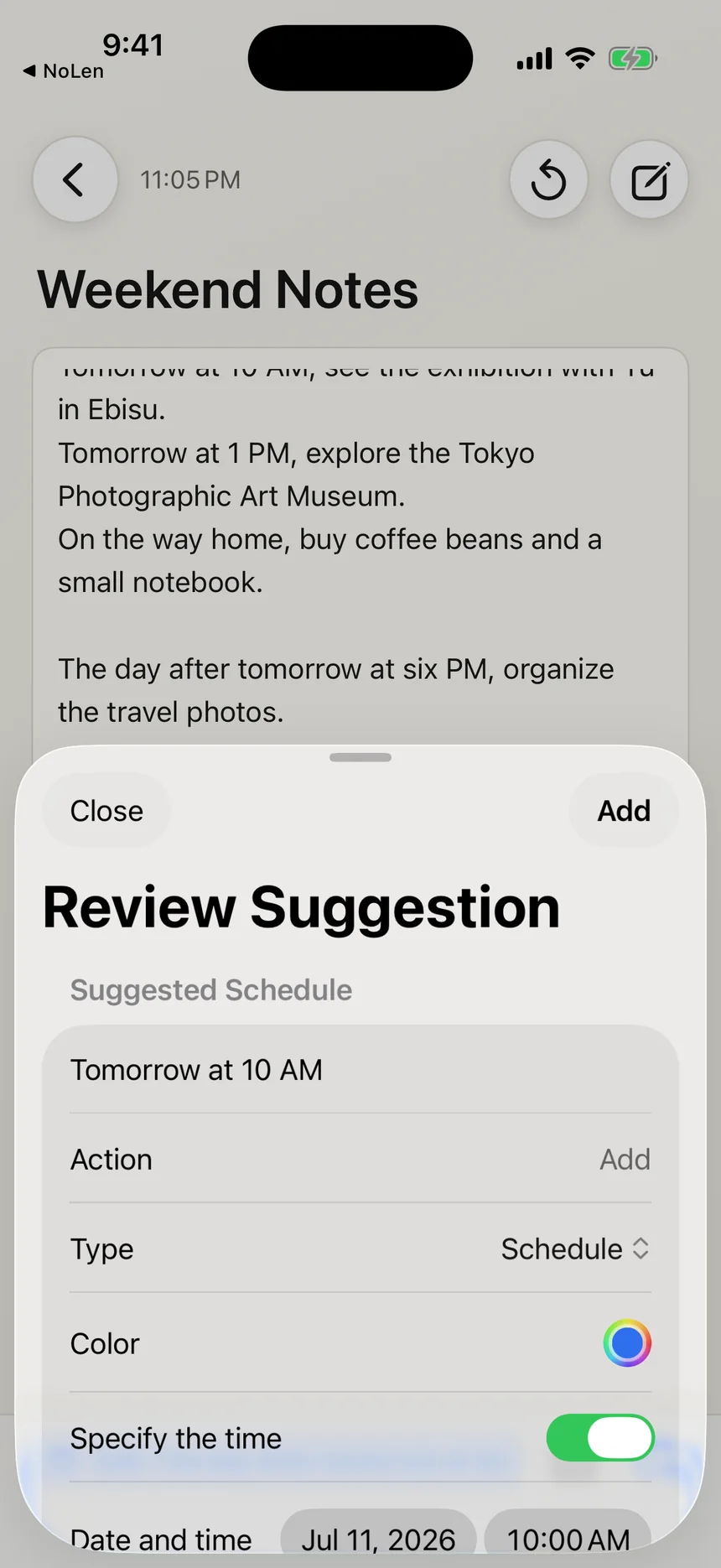
Check the date, time, title, and type before adding it. NoLen never confirms a schedule without you.
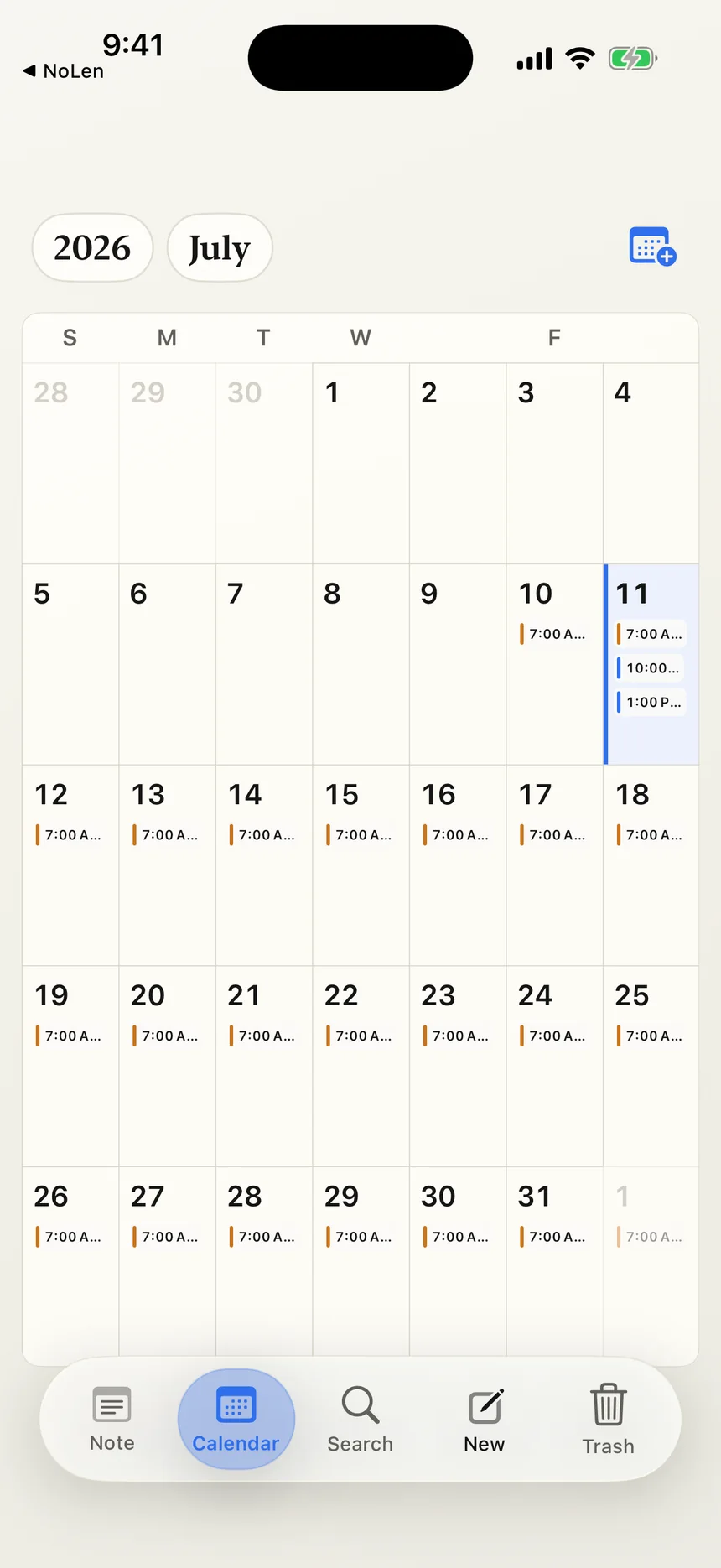
Confirmed events and habits appear on your calendar. Your original note stays exactly as written.
Plain text stays plain
Finding a schedule never rewrites your note. No hidden markers. No proprietary formatting.
Your writing remains the source of truth. Dates and schedule details are stored separately, so you never have to change how you write to use the app.
Tomorrow at 10 AM,
see an exhibition with Yuu in Ebisu.
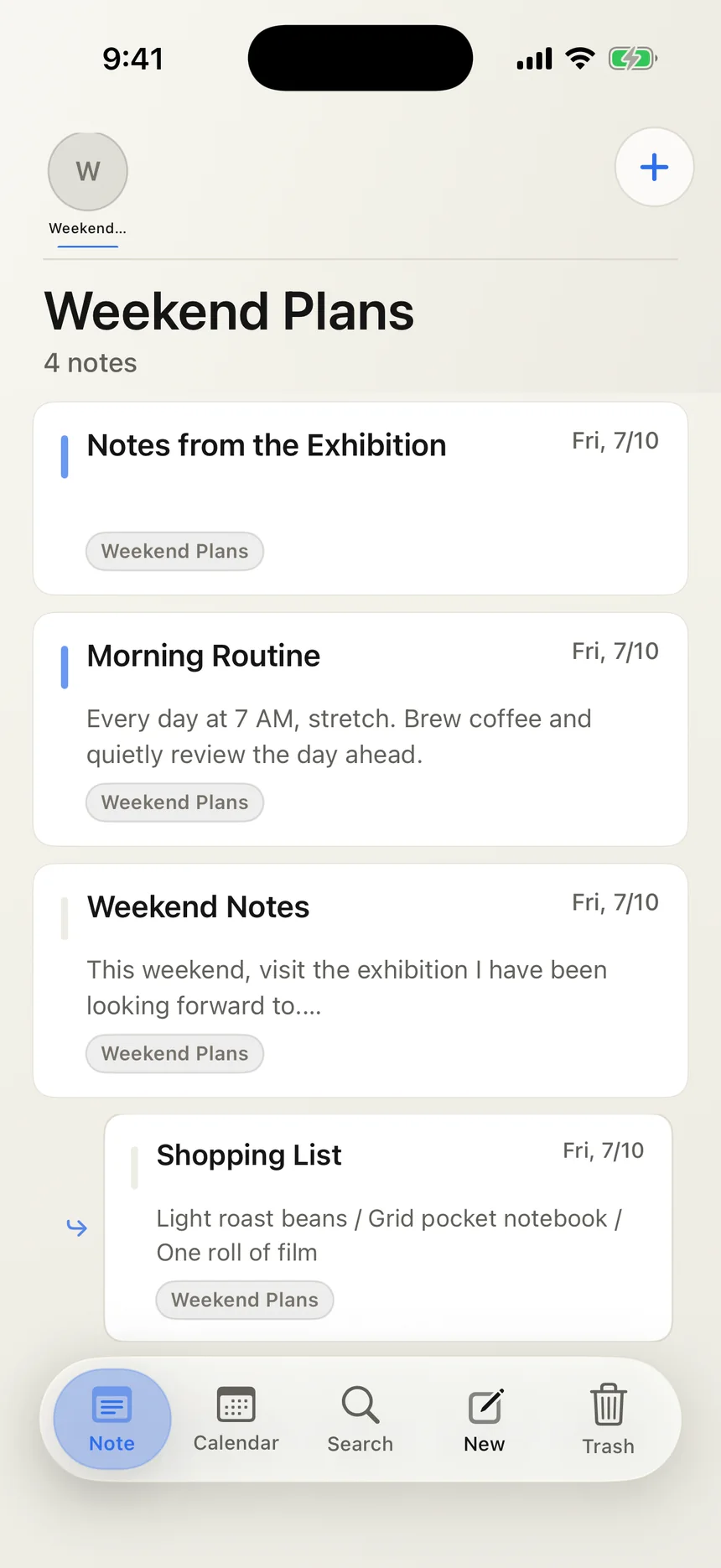
Notes have depth
Use categories for the big picture, then create a subnote from a passage that deserves more attention. Explore an idea while keeping its connection to the original text.
On your Mac
On Mac, your note list, writing, and calendar share one workspace. See the connection between what you wrote and when it belongs.
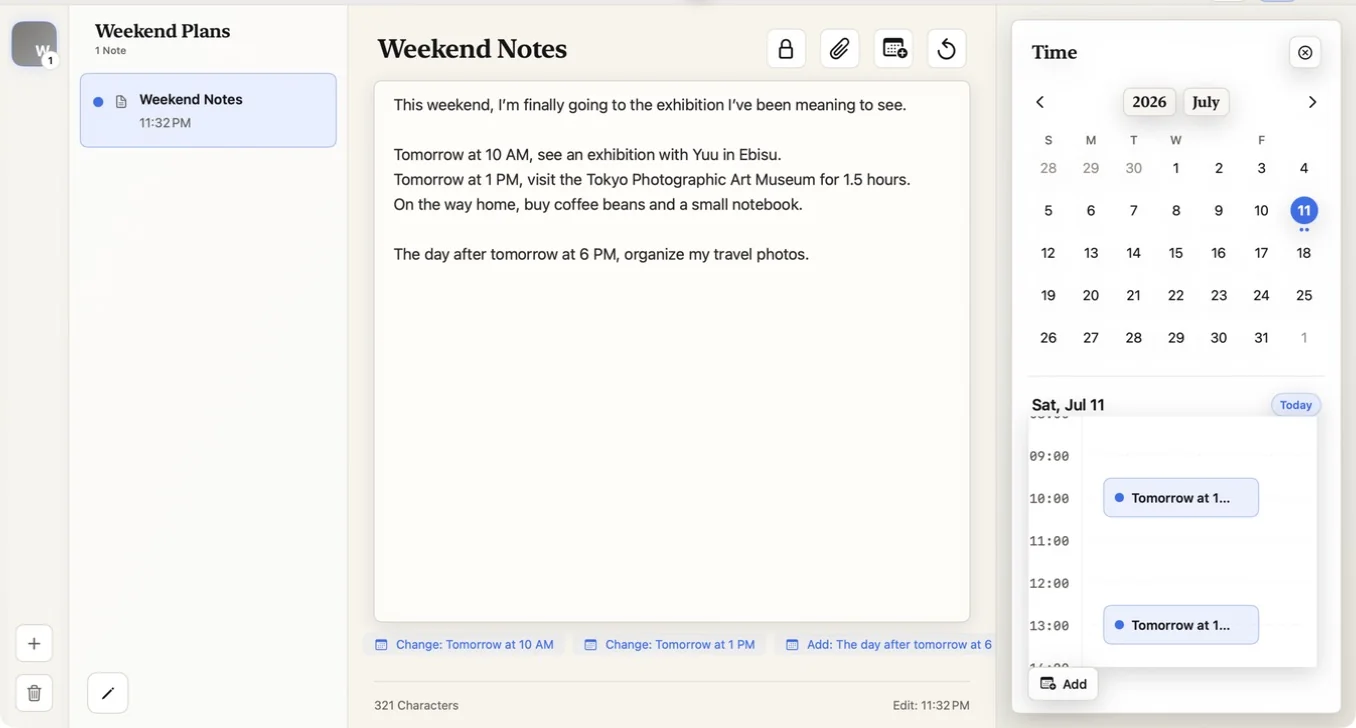
On iPhone, iPad, and Mac.
Your words are yours
NoLen is designed to handle your notes primarily on your device.
Your note text is not collected by servers operated by the developer.
NoLen uses no third-party advertising, tracking, or analytics SDKs.
When iCloud sync is enabled, your data is synchronized through Apple’s private CloudKit database.
Questions
No. NoLen is a native app for iPhone, iPad, and Mac.
No. Dates and schedule details are stored separately from your original writing.
No. You review each suggestion before adding it, including its title, date, time, and type.
NoLen is currently free to download.
Start with a sentence
Put what you wrote somewhere you will remember it.
Download for freeView on the App Store